A sundial for your shell commands.
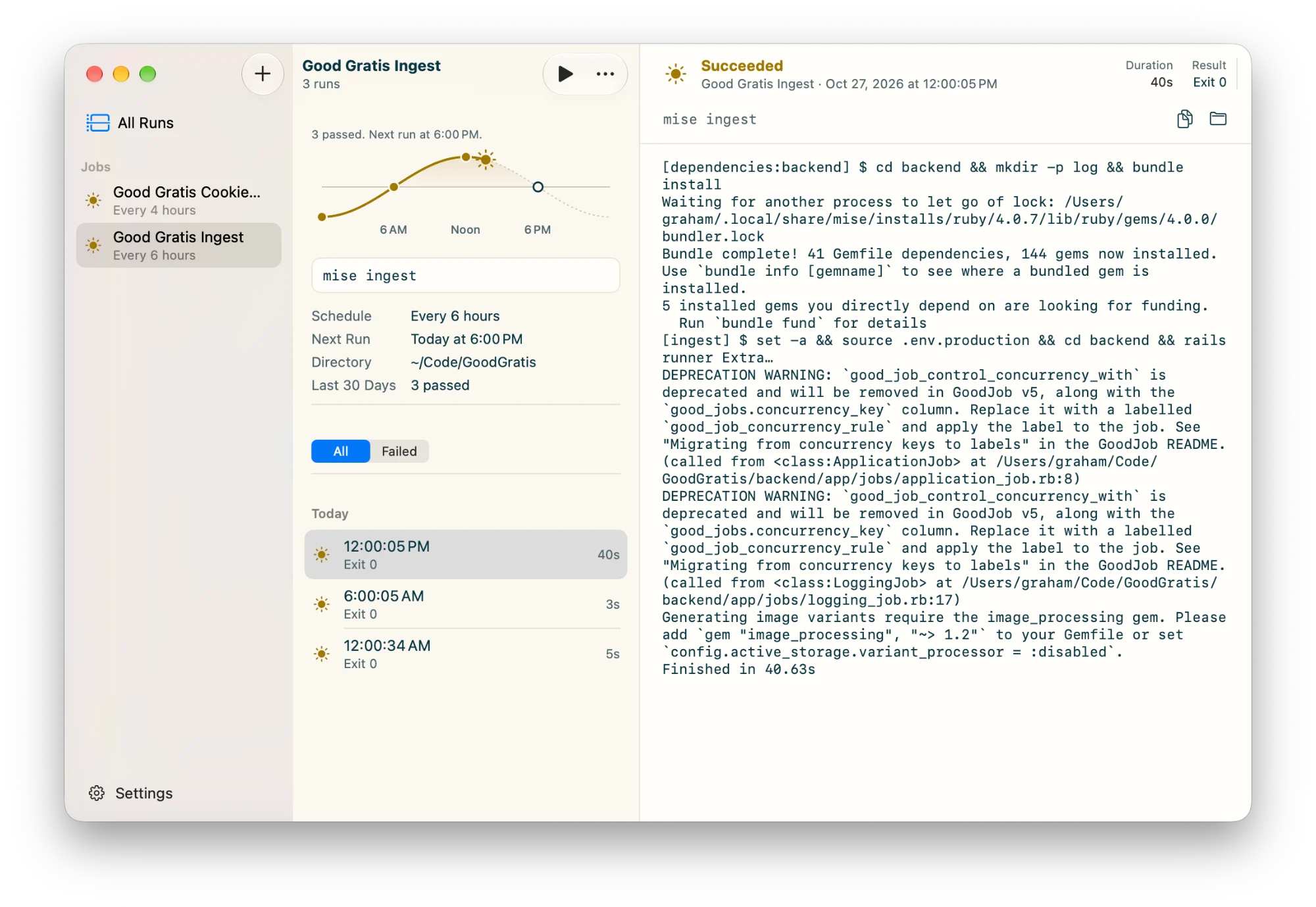
Sundial is a small Mac app that runs your own commands on a schedule and shows, at a glance, whether each run passed or failed. Sunshine when it worked. A storm when it didn't.
brew install grahamotte/tap/sundialFree and open source. Version 0.4.4, for macOS 27 or later. Signed and notarized by Apple.
Sunshine means it passed
Every run gets a little weather. On a good day it's all sun, so the one storm is easy to spot, in the window and in the menu bar.
- PassedThe command exited 0.
- FailedIt exited with an error or was stopped by a signal.
- InterruptedThe run was cut off before it finished.
- RunningIts output follows along as it's written.
- Never runScheduled, and waiting for its first run.
A friendly face on launchd
Sundial isn't a server, a cron wrapper, or a cloud service. It's a native front end to the scheduler already built into your Mac.
Real launch agents
Each job is a launchd agent in ~/Library/LaunchAgents, so it runs on time whether Sundial is open or not.
Schedules that keep time
Every few minutes or hours on the clock, daily, or on the weekdays you pick. A run missed while your Mac slept happens once when it wakes.
Your shell, your tools
Commands run with zsh -c in the folder you choose. Homebrew, mise, and ~/.local/bin are on PATH.
Every run, kept for 30 days
Output, exit status, and duration for each run. Logs are searchable, and a running job's log follows along live.
Lives in the menu bar
Today's runs on the sun's path and the ten most recent runs, one click away. No Dock icon and no notifications.
Run Now
Start any job by hand to try a change, then read its output right there.
A job is four things
A name, a command, a folder, and a schedule. Sundial writes the launch agent for you and keeps it in sync when you edit, pause, or delete the job.
- Name
- Back Up Notes
- Command
- rsync -a ~/Notes /Volumes/Backup
- Directory
- ~
- Schedule
- Daily at 2:00 AM
<key>Label</key>
<string>com.grahamotte.sundial.job.…</string>
<key>ProgramArguments</key>
<array>
  <string>/Applications/Sundial.app/Contents/MacOS/Sundial</string>
  <string>run</string>
  <string>…</string>
</array>
<key>StartCalendarInterval</key>
<array>
  <dict>
    <key>Hour</key>
    <integer>2</integer>
    <key>Minute</key>
    <integer>0</integer>
  </dict>
</array>
Give Sundial a try
Install with Homebrew, then update with brew upgrade.
brew install grahamotte/tap/sundial